BMX LIFE Bike Customization
Style your BMX and rider with free options first, then decide which Robux wraps are actually worth it.
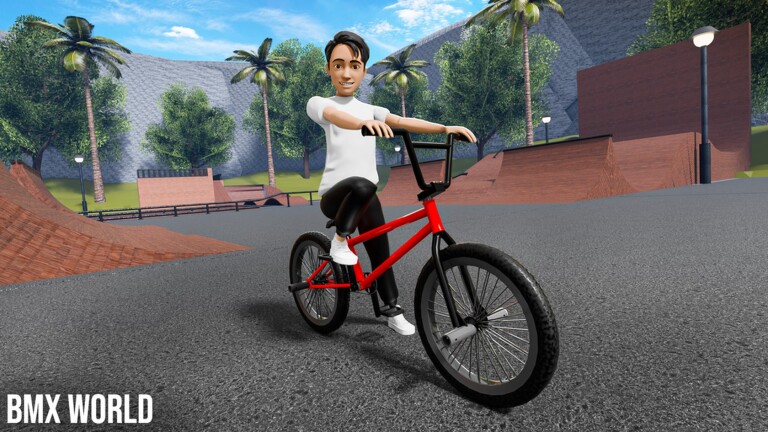
Bike customization in BMX LIFE is how you spot your frame in a busy Roblox skatepark and how your clips read on video. The freestyle BMX experience exposes a Customs button on the lower left after spawn. From there you edit rider look and bike parts without leaving the session.
Open the Customs menu
- Join via the Roblox place.
- Wait until the BMX and HUD finish loading.
- Click Customs (bottom-left).
- Choose rider appearance or bike sections.
- Apply changes and roll a short test line so colors read at speed.
If the button is missing, rejoin — rare replication hiccups hide UI until the bike exists.
Free customization that matters
Before spending Robux, exhaust free toggles:
- Frame / body colors — high contrast against concrete helps mid-spin tracking.
- Tire and rim colors — makes wheelies obvious on recordings.
- Grips and small accents — finish the look without a pass.
- Rider gender, skin, hair, shirt/pants — readable silhouette in third person.
These options already satisfy most style goals outlined in Getting Started.
Paid cosmetics (Robux)
Creator showcases call out premium slots such as:
| Cosmetic | What you get | When it is worth it |
|---|---|---|
| Animated Wrap | Moving pattern on panels | You already land clean lines |
| Glow Wrap | Bright reactive look | Night-ish lighting or thumbnails |
| Underglow | Light under the frame | Photo mode and group rides |
None of these change the physics that controls and tricks and flips teach. Buy for style, not power.
Rank relative value on the cosmetics tier list and the parent Tier List Hub.
Branding note
In-game brand names are fictional. They are not affiliated with real BMX companies. Do not expect licensed pro signatures.
Build ideas for practice
- Learner build — loud free tire color, simple frame, third-person camera.
- Clip build — darker frame, bright underglow if owned, for photo mode (Players).
- Minimal build — stock-ish look while you grind how to wheelie drills.
Spending checklist
- Can you hold a ten-second manual?
- Can you land five 180s?
- Have you checked Codes so you are not buying something a promo might soft-grant later?
- Have you read Scripts so you are not also risking the account on a shady menu?
If any answer is no, keep the Robux wallet closed.
Related
- Updates — cosmetic drops often arrive with patches.
- Official links — community group for announcements.
- Guides Hub — return to skill pages anytime.
Customization is the paint; the park lines are still the product. Style the bike, then go session.
Frequently Asked Questions
Quick answers for codes, controls, tricks, and bike builds.
Where is the customization menu in BMX LIFE?
Click Customs on the bottom-left after your BMX spawns.
Do I need Robux to look good?
No. Free frame and tire colors already read clearly. Robux wraps are optional flair.
What are Animated Wrap and Underglow?
Premium Robux cosmetics for motion patterns and under-frame light. They do not boost physics.
Which cosmetics are worth buying first?
See the cosmetics tier list after you can ride cleanly.